Picking Your Stack
Your stack is not a list of logos on a slide. It is a set of bets about what you are willing to own and what you are willing to rent. Every tool is a dependency. Choose carefully.
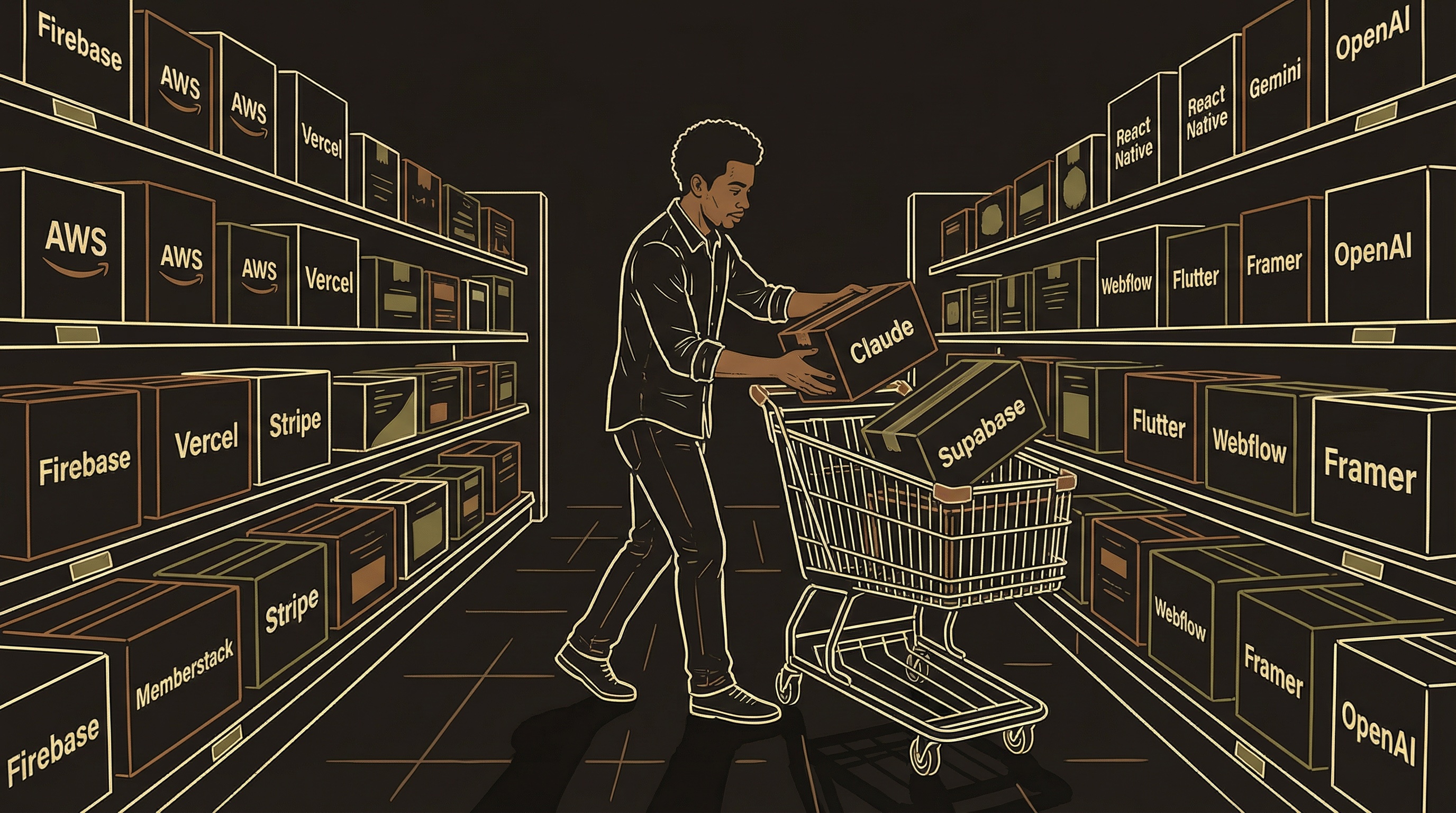
Your stack is your kitchen equipment. The oven, the fridge, the POS system. You do not build any of it — you rent the best equipment for your type of restaurant and focus on the food. The wrong oven ruins everything. The right one disappears into the background.
The Decision Framework
Four questions before adding any tool to your stack.
Usable free tier?
Some free plans let you build a real product. Others cut you off at five users. The free tier is your runway to product-market fit. A database with 500MB free is enough for months. One with a 7-day trial is not.
One-person operable?
If the docs assume you have a DevOps engineer, keep looking. You need dashboards, not CLI-only management. A database you manage through a web UI beats one that requires SSH sessions.
Scales without rewrite?
The tool at zero users should work at ten thousand. If you will need to rip it out later, that is not scaling — that is rebuilding under pressure during your best growth week.
Painless migration?
Some tools make it easy to leave. Others hold your data hostage. Can you export your database as SQL? Can you download your site's HTML? If not, you are locked in.
Before adding a new tool, check if something you already have does the job. You might be paying for auth software when your database platform already includes it. Every overlapping tool is a bill you do not need and complexity you do not want.
The Categories
Every solo product needs these 8 categories covered. Here are the real options in each.
1. Database + Backend
The Back Office — where all your data lives and your server-side logic runs.
| Provider | Starting Cost | Strong Suit | Best For |
|---|---|---|---|
| Supabase | Free → $25/mo | PostgreSQL + auth + edge functions + storage in one dashboard | Solo builders who want everything in one place |
| Firebase | Free → pay-as-you-go | Google ecosystem, real-time sync, massive community | Apps needing real-time updates (chat, collaboration) |
| PlanetScale | Free → $39/mo | MySQL with branching (like Git for your database) | Teams that want database version control |
| Neon | Free → $19/mo | Serverless PostgreSQL, scales to zero when idle | Side projects that need to stay cheap until they grow |
| AWS (DynamoDB/RDS) | Free tier → variable | Infinite scale, enterprise-grade | If you have DevOps experience or plan to hire |
* Costs shown are entry-level tiers. At real scale (10K+ users), expect $200-$500+/mo. Free tiers are for building — not for running a business at scale.
2. Mobile Framework
The Dining Room — what your customers actually see and touch.
| Provider | Starting Cost | Strong Suit | Best For |
|---|---|---|---|
| React Native + Expo | Free → $33/mo (EAS) | One codebase, both app stores. Expo handles builds and OTA updates | JavaScript developers, largest ecosystem |
| Flutter | Free | Google-backed, beautiful UI out of the box, fast rendering | Design-heavy apps, teams comfortable with Dart |
| Swift/Kotlin (native) | Free (Apple $99/yr) | Best performance, full platform access | Single-platform apps where performance is everything |
| Capacitor (Ionic) | Free | Web app wrapped in native shell | Web-first teams adding a mobile version |
* The real cost of mobile is app store fees — Apple $99/yr, Google one-time $25. Both take 15-30% of in-app purchases.
3. AI / LLM Providers (In Your Product)
The Head Chef — the intelligence powering your product's core features.
| Provider | Pricing Model | Strong Suit | Best For |
|---|---|---|---|
| Anthropic (Claude) | Per token (input/output) | Long context, strong reasoning, coding, safety | Complex product logic, analysis, content generation |
| OpenAI (GPT-4o, o1) | Per token | Largest ecosystem, broadest tooling, vision/audio | General-purpose AI, multimodal features |
| Google (Gemini) | Per token / free tier | Long context windows, Google integration | Document processing, search-connected features |
| Mistral | Per token | Open-weight models, EU-hosted, fast inference | Cost-sensitive products, European data residency |
| Llama (Meta, self-hosted) | Infrastructure only | No per-token fees, full control | High-volume products where API costs are prohibitive |
* Most products use a mix — a powerful model for complex tasks and a smaller/cheaper one for simple tasks. This is called model routing and it is how you control costs at scale.
4. AI Coding Assistants (For Building)
The Sous Chef — the AI tools that help YOU build the product. Different from the AI in your product.
Category 3 is the AI that powers your product — what your users interact with. This category is the AI that helps you build the product. These are your coding assistants, architecture advisors, and debugging partners. They are arguably the most important tools in your entire stack because they multiply everything else you do.
You will probably use more than one. Different tools are better at different jobs — the same way you use different AI conversations for different roles (Chapter 4). A chat interface for strategy. An in-editor tool for writing code. A CLI tool for making changes across your codebase.
| Tool | Cost | How It Works | Best For |
|---|---|---|---|
| Claude (chat) | Free / $20/mo Pro | Chat interface. Paste code, discuss architecture, write documentation, plan features. Projects feature loads your docs automatically. | Strategy conversations, architecture decisions, documentation, debugging complex logic. Best long-context reasoning. |
| ChatGPT | Free / $20/mo Plus | Chat interface. Broad knowledge, plugins, image generation, code interpreter. | Quick answers, general knowledge, prototyping ideas, multimodal tasks (vision, image gen). |
| Cursor | Free / $20/mo Pro | Code editor (forked from VS Code) with AI built into every action. Sees your whole codebase. Tab-complete, inline edits, multi-file changes. | Writing code directly in files. The AI sees your project structure, imports, and patterns. Best for hands-on coding. |
| Windsurf | Free / $15/mo Pro | Code editor similar to Cursor. AI-powered editing with "Cascade" flow for multi-step changes. | Similar to Cursor with a different UX philosophy. Try both — preference is personal. |
| Claude Code (CLI) | API usage costs | Command-line tool. Reads your repo, understands your project, makes changes directly from the terminal. Agentic — runs commands, edits files, tests. | Complex multi-file changes, refactoring, debugging. Operates like a junior developer with access to your whole codebase. |
| GitHub Copilot | Free / $10/mo | Autocomplete inside VS Code or JetBrains. Suggests code as you type, line by line. | Speeding up typing. Good for boilerplate and patterns you have written before. Less useful for architecture. |
The Recommended Combo
A chat interface (Claude or ChatGPT) for strategy, architecture, and documentation + a code editor (Cursor or Windsurf) for writing actual code. The chat interface is your thinking partner. The code editor is your building partner. Using both is not redundant — they serve different roles, just like the multi-chat workflow in Chapter 4.
The Key Principle
AI coding tools are force multipliers, not replacements for understanding. They write code faster than you can type it. They do not make architectural decisions for you. If you do not understand why the code works, you cannot debug it when it breaks — and it will break. Use these tools to move faster, not to skip learning. Chapter 5 covers this in depth.
5. Voice AI
The Waitstaff — the voice your customers hear and speak to.
| Provider | Starting Cost | Strong Suit | Best For |
|---|---|---|---|
| ElevenLabs | Free → $22/mo | Best voice quality, conversational AI, voice cloning | Products where voice quality is the product |
| OpenAI TTS/Whisper | Per-character / per-minute | Integrated with GPT, simple API, good transcription | Adding voice to an existing OpenAI-powered product |
| Deepgram | Free tier → usage-based | Fastest speech-to-text, real-time streaming | Products needing fast transcription |
| PlayHT | Free → $29/mo | Large voice library, voice cloning, long-form audio | Podcasts, audiobooks, many-voice content |
| Google Cloud TTS | Free tier → usage-based | Multi-language, WaveNet voices, enterprise reliability | Multilingual products, Google Cloud ecosystem |
* Voice is the fastest-changing category. Pricing and quality shift every few months. At scale, voice-heavy products can spend $500-$2,000+/mo on voice AI alone.
6. Marketing Site / CMS
The Front Window — what people see before they walk in.
| Provider | Starting Cost | Strong Suit | Best For |
|---|---|---|---|
| Webflow | Free → $29/mo | Visual builder with code-level control, built-in CMS | Content-heavy sites needing design and CMS power |
| Framer | Free → $15/mo | Fast, modern, great animations, AI-assisted design | Design-forward landing pages, simpler sites |
| Next.js + Vercel | Free → $20/mo | Full code control, React-based, best performance | Developers who want total control |
| WordPress | Free → $25/mo (hosting) | Largest plugin ecosystem, most flexible | Content-heavy sites, blogs, existing WP developers |
| Carrd | Free → $19/yr | Dead simple single-page sites | Landing pages, MVPs that need a web presence fast |
7. Payments
The Cash Register — every path a customer can use to pay you.
| Channel | Fee | When You Need It | Key Consideration |
|---|---|---|---|
| Stripe (web) | 2.9% + $0.30 | Any web-based payment | Best documentation in payments. Webhooks power your subscription logic. |
| Apple IAP | 15-30% | Required for digital goods on iOS | Apple mandates IAP for digital content. 30% year one, 15% after. |
| Google Play Billing | 15-30% | Required for digital goods on Android | 15% on first $1M per year, 30% after. |
| Paddle / Lemon Squeezy | 5% + $0.50 | Merchant of record (handles taxes) | Higher percentage but they handle VAT and sales tax globally. |
| PayPal | 2.99% + $0.49 | Customers who prefer PayPal | Lower friction for some demographics. Higher cost than Stripe. |
* If you have a mobile app, you likely need ALL THREE: Stripe for web, Apple IAP for iOS, Google Play Billing for Android. Chapter 12 covers this.
8. Code Storage + Dev Tools
The Recipe Binder + Smoke Detector — where your recipes live and how you know if the kitchen is on fire.
| Tool | Cost | What It Does |
|---|---|---|
| GitHub | Free | Code storage with version history. Every change tracked. Roll back anytime. (Chapter 3) |
| Sentry | Free → $26/mo | Error tracking. When something breaks, Sentry tells you what, where, and for how many users. |
| Discord / Slack webhooks | Free | Real-time alerts. New signup? Failed payment? Get a ping in a channel you check. |
What A Full Stack Actually Costs
Entry-level tiers. Real scale is 3-5x these numbers.
A Full Stack at a Glance
An example stack for a solo founder building a mobile AI product. Not the only way — a proven way.
| Category | Example Choice | Entry Cost | Restaurant Role |
|---|---|---|---|
| Database + Backend | Supabase or Firebase | Free → $25/mo | Back office |
| Mobile Framework | React Native + Expo | $0-$33/mo | Dining room |
| AI / LLM (in product) | Claude or GPT-4o | Per token (variable) | Head chef |
| AI Coding Tools | Claude + Cursor | $0-$40/mo | Sous chef |
| Voice AI | ElevenLabs or Deepgram | Free → $22/mo | Waitstaff |
| Marketing Site | Webflow or Framer | Free → $29/mo | Front window |
| Web Payments | Stripe | 2.9% + $0.30 | Cash register (web) |
| iOS Payments | Apple IAP | 15-30% | Cash register (iOS) |
| Android Payments | Google Play Billing | 15-30% | Cash register (Android) |
| Code Storage | GitHub | $0 | Recipe binder |
| Error Tracking | Sentry | $0 | Smoke detector |
| Alerts | Discord webhooks | $0 | Kitchen intercom |
What to Watch For
The two biggest traps after your first year of building: overlap and lock-in.
Overlap: you are paying for two tools that do the same thing because you did not realize one already covered it. Audit quarterly.
Lock-in: your site builder's CMS hits limits at scale — API does not expose all content types, cannot toggle publish status programmatically. For content-heavy products, evaluate whether a headless CMS is worth the extra setup. Always check the exit door before you check in.