Web & Payments
You have three storefronts: your website, the Apple App Store, and the Google Play Store. Each has different rules, different fees, and different webhook formats. Understanding all three from the start saves you weeks and revenue you never recover.

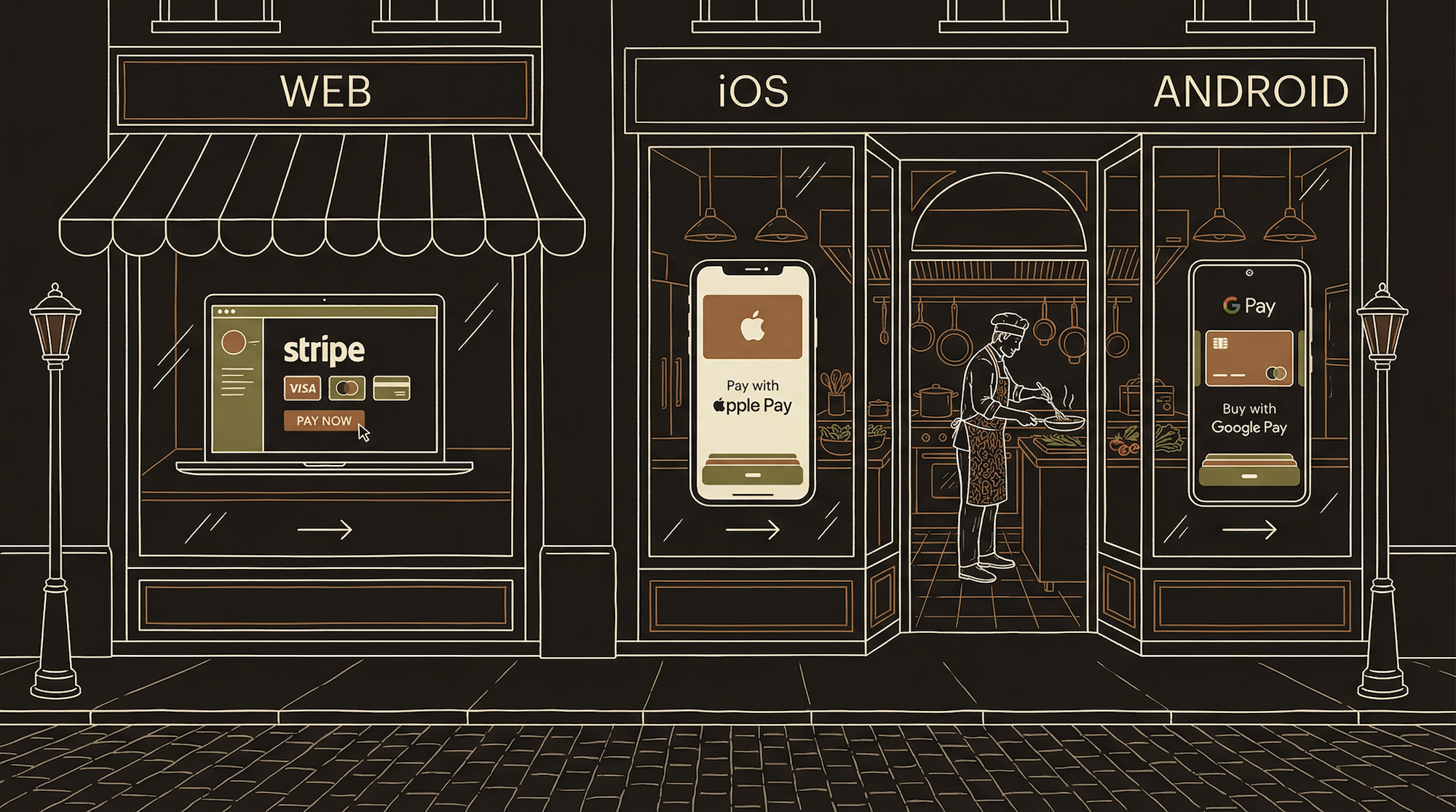
Your payment processor is the cash register. The webhook is the kitchen ticket printer — when the register rings up an order, the printer automatically prints the ticket so the cooks know what to make. You have three registers (Stripe, Apple, Google) and all three need to print to the same kitchen. Without the printer, money comes in but no food goes out.
Three Storefronts, Three Fee Structures
If you have a mobile app that sells digital content, you run all three simultaneously.
Not because you want to — because you have to. Apple requires IAP for digital purchases on iOS. Google requires Play Billing for digital purchases on Android. Your website is the only storefront where you keep nearly everything.
Your Website
Your highest-margin channel. Payments go through Stripe with only standard processing fees. No Apple or Google tax. This is where annual plans, bundles, and promotional pricing should live. Your pricing page is your most important conversion surface.
Apple App Store
Required for in-app digital purchases on iOS. Small Business Program cuts to 15% under $1M/year. In the US, recent rulings allow linking to web payments alongside IAP. Apple sends Server-to-Server Notifications for subscription lifecycle events.
Google Play Store
Google charges 15% on the first $1M/year, 30% after. Play Billing required for in-app digital purchases on Android. External payment rules more restrictive than Apple's. Google sends Real-Time Developer Notifications via Cloud Pub/Sub.
Revenue Comparison — What You Actually Keep
Same product, same price, five different outcomes.
| Channel | Price | Fee | You Keep | Notes |
|---|---|---|---|---|
| Website (Stripe) | $9.99 | ~3% | ~$9.69 | Highest margin. Annual plans here. |
| Apple IAP (Small Biz) | $9.99 | 15% | ~$8.49 | Under $1M/year. US can link out. |
| Apple IAP (Standard) | $9.99 | 30% | ~$6.99 | After $1M/year revenue. |
| Google Play (First $1M) | $9.99 | 15% | ~$8.49 | Same rate as Apple Small Biz. |
| Google Play (Standard) | $9.99 | 30% | ~$6.99 | After $1M/year revenue. |
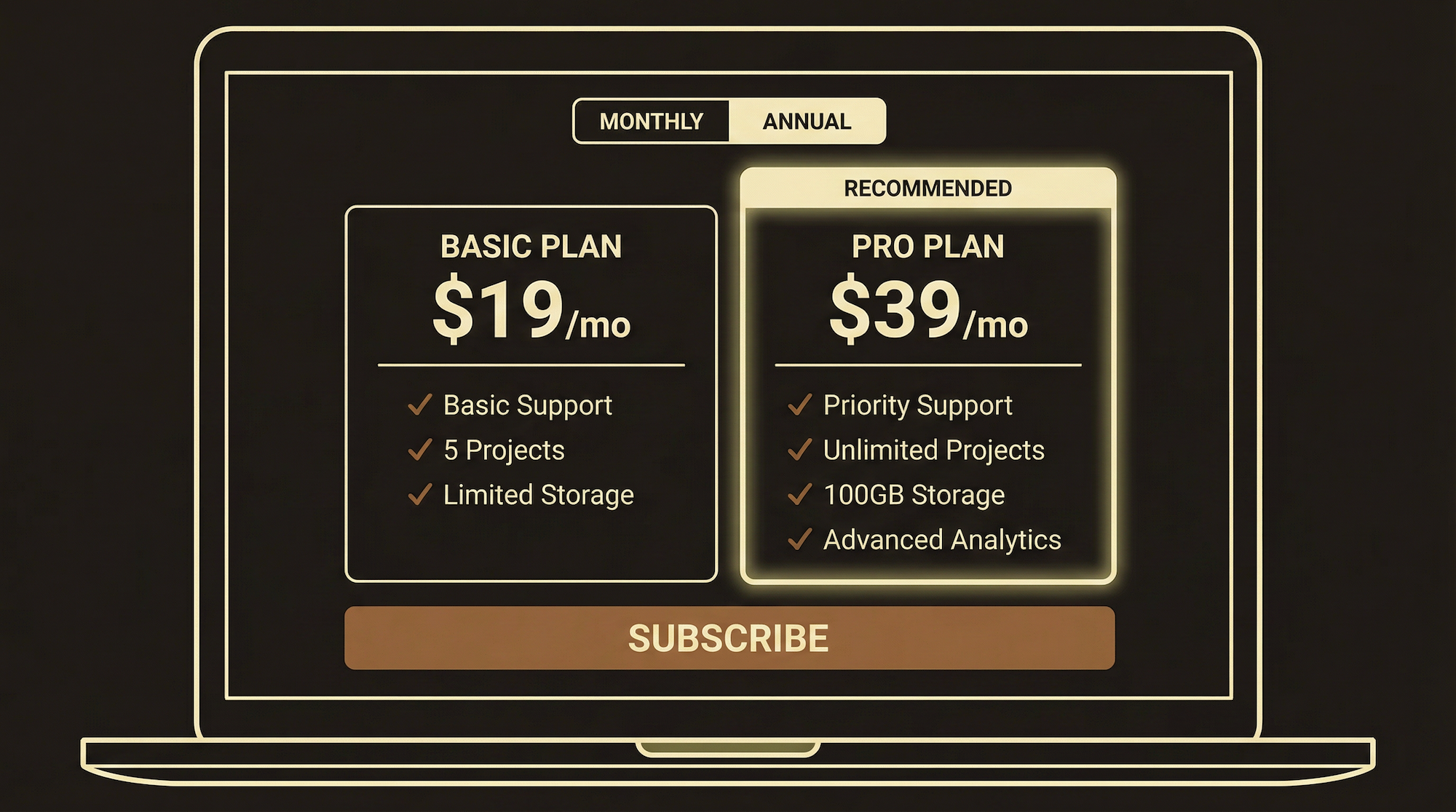
Many apps charge different prices depending on where you buy. This is legal, common, and increasingly expected — Spotify, YouTube Premium, and many others do it. Recent US court rulings specifically allow you to tell users about the cheaper option on your website.
The strategy: make your website pricing the primary offer. Use the app pricing to capture people who would rather pay right there than switch to a browser. Accept the Apple/Google tax as the cost of convenience. Steer power users — annual subscribers, heavy users — to the web where your margins are three times higher.
The Webhook Pattern — Same for All Three
Payment in, event fires, database updated, access granted.
Regardless of which storefront the payment comes from, the backend pattern is identical: payment processor sends an event to your server, your server verifies it, your server updates the database, the app reads the database. The event format differs for each processor, but the architecture is the same.
Stripe — Your Web Payment Processor
Stripe handles all web purchases. It is the most developer-friendly payment processor and the one AI understands best, which matters when building with AI assistance.
Creating Products and Prices
In Stripe's dashboard, you create Products (what you sell — "Monthly Plan," "Annual Plan") and attach Prices to them ($9.99/month, $99/year). Each Price gets a unique ID like price_1THWSkL... that your code references. You can have multiple prices per product — monthly and annual, different currencies, promotional rates.
The Checkout Session Flow
When a user clicks "Subscribe" on your pricing page, your backend creates a Checkout Session — a temporary, secure payment page hosted by Stripe. You pass the Price ID, a success URL, and a cancel URL. Stripe handles the entire payment UI: card fields, validation, 3D Secure, tax calculation, error states. You never touch card numbers.
On success, Stripe redirects to your success URL and fires a webhook event (checkout.session.completed) to your backend. Your webhook handler reads the event, extracts the customer and subscription IDs, and updates your database.
Webhook Events That Matter
checkout.session.completed — new subscription created. invoice.paid — recurring payment succeeded. customer.subscription.updated — plan changed. customer.subscription.deleted — subscription cancelled. Your webhook handler needs all four. Miss one and you have users paying without access, or users with access who stopped paying.
Apple In-App Purchases
Apple's StoreKit framework handles IAP within your iOS app. The mechanics differ from Stripe in important ways.
Products and Pricing
You create subscription products in App Store Connect. Unlike Stripe where you set any price, Apple uses fixed price tiers — "Tier 1" ($0.99), "Tier 6" ($5.99), etc. Apple automatically adjusts prices for each country. You cannot set $9.99 in the US and €8.99 in Europe independently — Apple's tier system handles the conversion.
The Purchase Flow
User taps "Subscribe" → StoreKit presents Apple's native payment sheet (not customizable) → User authenticates with Face ID → Apple processes payment → Your app receives a transaction → App sends receipt to your backend → Backend verifies with Apple's servers → Database updated → Premium unlocked.
Server-to-Server Notifications
Apple sends S2S notifications for subscription events: initial purchase, renewal, cancellation, billing retry, grace period, refund. These are signed JWTs your backend must verify. Notification types include DID_RENEW, DID_FAIL_TO_RENEW, CANCEL, REFUND. Your webhook handler must parse these separately from Stripe events.
Google Play Billing
Google's Play Billing Library is the Android equivalent. Similar concepts, different implementation, different notification system.
Products and Pricing
You create subscription products in Google Play Console. Google gives more pricing flexibility than Apple — you can set prices per country independently. You configure base plans (monthly, annual) and offers (free trials, introductory pricing) within each product.
The Purchase Flow
User taps "Subscribe" → Play Billing Library presents Google's payment sheet → User pays with their Google account → App receives a purchase token → App sends token to your backend → Backend verifies with Google Play Developer API → Database updated → Premium unlocked. The verification step is critical — without it, users can fake purchases.
Real-Time Developer Notifications (RTDN)
Google sends RTDNs via Google Cloud Pub/Sub — not direct HTTP webhooks like Stripe and Apple. You set up a Pub/Sub topic, subscribe to it, and receive notifications when subscription events occur. The notification contains types like SUBSCRIPTION_PURCHASED, SUBSCRIPTION_RENEWED, SUBSCRIPTION_CANCELED. Your backend must decode the Pub/Sub message, then query the Google Play API for full details.
This is the most complex of the three. Stripe sends everything in the event. Apple sends signed JWTs. Google sends a notification that says something happened, then you call their API to find out what.
Three Webhook Formats Compared
Same concept, three completely different implementations.
| Stripe | Apple | ||
|---|---|---|---|
| Delivery | Direct HTTP POST | Direct HTTP POST | Cloud Pub/Sub |
| Format | JSON + signature header | Signed JWT | Pub/Sub message + API call |
| Verification | HMAC signature check | JWT signature verification | Pub/Sub auth + API verify |
| Data included | Full event data in payload | Transaction data in JWT | Notification type only — must query API |
| Retry on failure | Yes, with backoff | Yes, limited attempts | Yes, Pub/Sub handles retry |
| Setup complexity | Low — add URL in dashboard | Medium — configure in ASC | High — requires Pub/Sub topic |
Your backend needs separate handler logic for all three formats — but they should all update the same subscription table in your database. One table, one source of truth, three input channels. A user who subscribes on the web and later opens the Android app should see their premium access immediately because both channels write to the same place.
Your webhook receiver is the most critical piece of your payment infrastructure. Without it, you collect money but never grant access — across all three channels.
Your Website as a Storefront
Your website is not a brochure. It is your highest-margin sales channel and should be designed accordingly. The pricing page is the most important page on your site — more important than the homepage, more important than the features page.
What the Pricing Page Needs
Clear plan comparison. Price displayed prominently. What is included at each tier, stated without ambiguity. A primary CTA button that stands out — not three equal buttons, one obvious recommendation. Toggle between monthly and annual pricing with the savings shown ("Save 36%"). FAQ section below addressing objections: "Can I cancel anytime?" "What payment methods accepted?"
The Auth-Gated Checkout Flow
User clicks "Subscribe" → your site checks if they are logged in → if not, redirect to sign-up/login → once authenticated, your backend creates a Stripe Checkout Session using their user ID → Stripe handles payment → webhook fires → database updated → user redirected to success page. The user ID connection is crucial — without it, you have a payment with no user attached.
Annual Plans on the Web
Annual plans should live on your website, not in the app stores. An annual plan at $99/year through Stripe nets ~$96 after fees. Through Apple IAP: ~$84 (Small Business) or ~$69 (standard). That is $12-27 difference per subscriber per year. At 500 annual subscribers, that is $6,000-13,500 per year in fees you avoid by routing annual purchases through the web.
SEO and Organic Discovery
Your website is also your primary organic discovery channel. App Store search is limited to people already looking for apps. Google search reaches everyone.
The Basics That Matter
Every page needs a unique <title> tag (under 60 characters) and <meta description> (under 155 characters). Your homepage title should include your primary keyword. If you build a meal planning app, your title is not "Welcome to MealPrep" — it is "AI Meal Planning App | Weekly Plans in 30 Seconds."
Open Graph tags control how links appear when shared on social media. Set og:title, og:description, and og:image on every public page. Without them, shared links show generic text and no preview image — which kills click-through rates.
Content as Discovery
A blog or content section serves two purposes: it helps users and it helps Google find you. Every article targeting a question your users ask is a page that can rank in search results and drive traffic to your pricing page. Write about the problem your product solves, not about your product. People search for problems, not solutions.
App Store Optimization (ASO)
ASO is SEO for app stores. Your app title, subtitle, and keyword field (Apple) or description (Google) determine store search visibility. Include your primary function in the title — "MealPrep: AI Meal Planner" beats "MealPrep" alone. Update keywords quarterly based on impression analytics.
The biggest mistake is treating web and app payments as separate systems. They must share the same subscription table and the same user identity. A user who subscribes on the web, then opens the iOS app, then switches to Android must see their active subscription on all three. Your auth and subscription systems must be cross-platform from day one. Retrofitting this later is one of the most painful migrations you can do.